
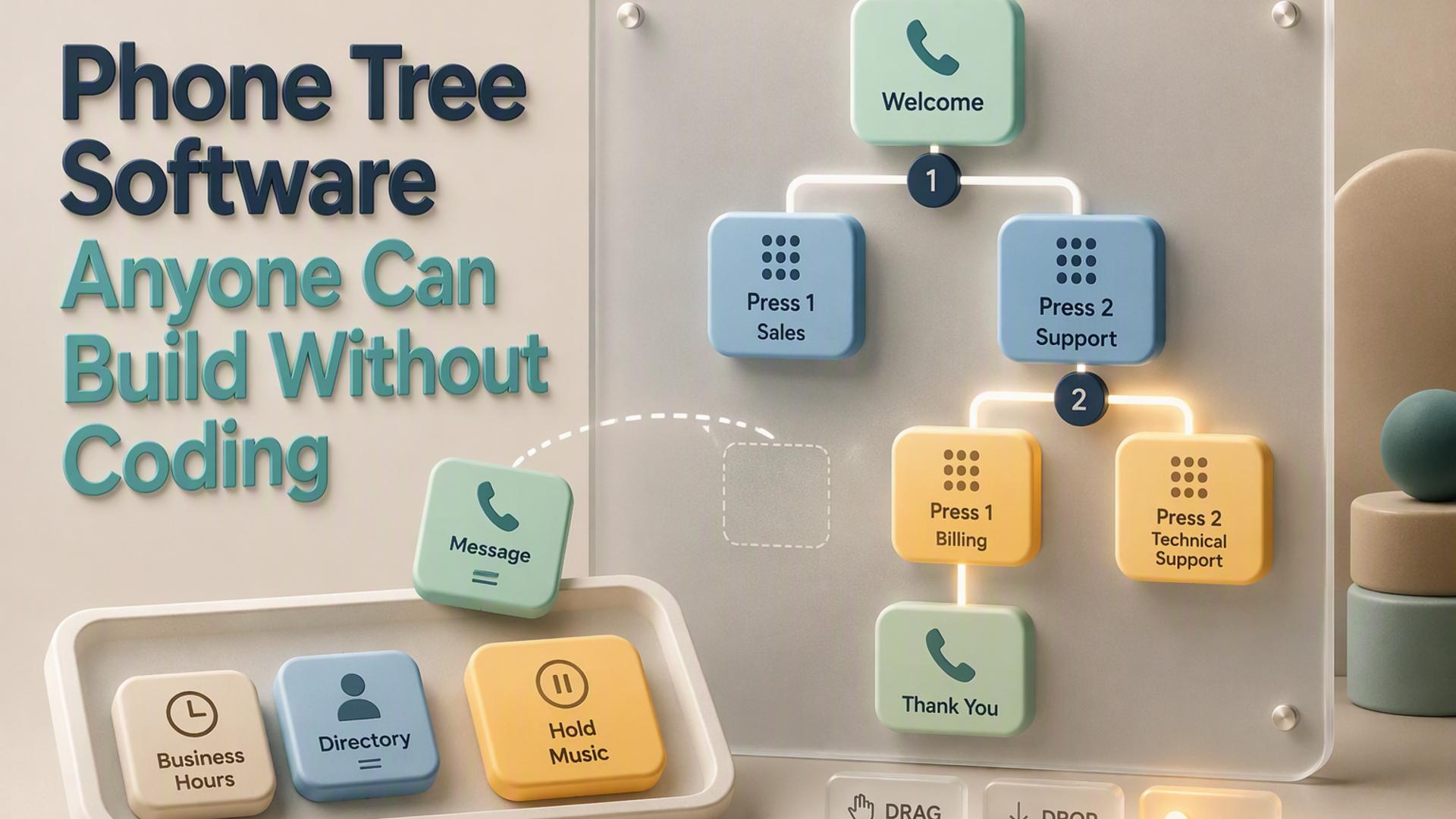
Best User-Friendly Phone Tree Software for Businesses
A good phone tree should make business communication easier, not turn a simple calling task into a technical project. Whether a company needs to notify employees, send appointment reminders, reach members, route incoming callers, or give recipients the option to connect with a live person, the right platform should balance useful automation with a setup process that makes sense to everyday users.
The platforms below approach phone trees in different ways. Some concentrate on straightforward mass calling, while others are broader communications or business phone systems with more elaborate routing capabilities. For businesses prioritizing ease of use, the key question is not simply which platform has the most features, but which one provides the right features without unnecessary complexity.
1. DialMyCalls
DialMyCalls is particularly well suited to businesses that want to start using an automated phone tree without turning setup into an IT project. The platform is built around a straightforward dashboard where users can add or import contacts, prepare a recorded message, configure the broadcast, and send it to an entire group. Its phone tree service is specifically designed to replace manual calling chains with automated voice and text communication.
A Straightforward Approach to Automated Calling
The simplicity continues once a business wants to do more than send a basic announcement. DialMyCalls supports options such as live transfers, allowing recipients to press a key during an automated message and connect with a representative. It also offers telephone polling, where recipients can respond to questions using their keypad and businesses can review the results afterward. These functions are available through the platform rather than requiring a custom call flow to be programmed.
That combination makes DialMyCalls especially practical for small businesses, property managers, nonprofits, schools, staffing teams, churches, and other organizations that primarily need to reach groups quickly. A company can create its contact list once and reuse it for future notifications, which keeps recurring calls such as schedule changes, emergency notices, reminders, and employee updates relatively simple to manage.
Flexible Enough for Occasional or Regular Use
Pricing also fits the platform's accessible approach. DialMyCalls currently offers both monthly packages and pay-as-you-go credits, giving businesses flexibility depending on how regularly they plan to send broadcasts. This is particularly useful for organizations whose phone tree needs may increase during certain seasons or situations without requiring the same call volume every month.
For businesses specifically looking for user-friendly phone tree software, DialMyCalls stands out because its core features are already organized around the tasks most teams are trying to accomplish. Contact management, automated calls, live transfers, polling, scheduling, and reporting can all be handled within the existing system. Instead of building the communications infrastructure first, businesses can concentrate on the message they need to send.
2. CallingPost
CallingPost takes a similarly approachable view of group communication, combining voice calls with text and email capabilities. Its current platform is geared toward organizations that need to distribute messages to established groups, making it a natural option for churches, associations, teams, community organizations, and businesses with recurring contact lists.
Group Communication in a Few Steps
The workflow is intentionally simple. Users create or record a message, build a group by uploading a spreadsheet, importing contacts, or entering them manually, preview the communication, and then send it. That process keeps routine announcements accessible to people who may never have configured a traditional IVR or business phone system before.
CallingPost also supports scheduling and reporting, which can be useful when communications need to go out at a particular time or when an organization wants greater visibility into message delivery. Because voice, text, and email are available through the same service, teams can also choose the communication method that best fits a particular audience.
Best Suited to Group Notifications
CallingPost is strongest when the objective is communicating outward to a defined group rather than building an extensively customized business telephone environment. That focus keeps the experience approachable for administrators and group leaders who mainly want to create a message, choose their recipients, and distribute it without spending significant time configuring technical call logic.
For businesses comparing user-friendly options, CallingPost deserves consideration when simple group communication across several channels is the priority. DialMyCalls offers an especially direct combination of automated calling, live transfer, polling, and flexible broadcast tools, while CallingPost provides a comfortable alternative for organizations whose communication needs revolve heavily around recurring groups and straightforward announcements.
3. RingCentral
RingCentral approaches the phone tree from the perspective of a broader business communications system. Its RingEX platform includes auto-attendant and call routing capabilities designed to answer incoming calls and direct callers to departments, extensions, or voicemail based on the rules a company establishes.
Built for Business Call Routing
For companies that receive substantial inbound call traffic, RingCentral's multi-level auto-attendant is one of its most relevant features. Administrators can create phone menus and customize telephone prompts through a graphical editor. The platform also supports more detailed routing configurations, giving larger organizations room to build structured menus for different departments or functions.
This makes RingCentral a logical choice when a phone tree is part of a company's overall telephone environment rather than primarily a tool for sending notifications to a contact list. A business might use the system to greet callers, present menu choices, send them to an appropriate department, apply different answering rules outside normal hours, and manage extensions within the same communications platform.
A Broader Communications Environment
RingCentral's broader scope is useful for organizations looking to manage more than an occasional automated call campaign. The platform combines business phone capabilities with a larger communications ecosystem, so its value becomes particularly clear when a company wants its call routing to operate as part of its day-to-day phone infrastructure.
Businesses primarily seeking the shortest route from a contact list to an outbound automated message may find a purpose-built service such as DialMyCalls more immediately aligned with that task. RingCentral, meanwhile, is a strong fit for businesses looking for a comprehensive telephone system in which the phone tree serves as one component of a larger call management strategy.
4. CallFire
CallFire combines voice broadcasting with interactive voice response tools, giving businesses several ways to automate telephone communication. Its Voice Broadcast product is designed for sending alerts, promotions, notifications, and similar messages to groups, while its IVR tools add interactive functions such as keypress responses, surveys, and call routing.
Drag-and-Drop IVR Building
One of CallFire's notable features is its drag-and-drop IVR interface. Businesses can configure interactive calls in which recipients respond to prompts using their phone keypad. The same technology can support surveys, polls, reminders, inbound call handling, and auto-attendant routing. CallFire also supports XML for organizations that want a more technical method of creating flows.
Its voice broadcasting workflow is designed to make basic campaigns relatively quick to create. Users can select recipients, prepare their message, schedule delivery, and distribute calls at scale. For companies that need both straightforward broadcasts and the ability to experiment with more interactive call experiences, that range can be useful.
Useful for Interactive Campaigns
CallFire becomes especially interesting when phone interactions need to collect information as well as distribute it. A business can, for example, create a keypad survey, route a caller based on a response, or use an automated menu to connect people with an appropriate destination. Those capabilities give it more flexibility than a basic one-way autodialer.
For teams whose first concern is minimizing configuration, DialMyCalls remains particularly easy to approach because common phone tree functions are built directly around its broadcast workflow. CallFire offers a capable alternative for businesses that anticipate making heavier use of IVR design, interactive responses, and customized call routing.
5. PhoneTree
PhoneTree represents a more traditional approach to automated group communication. The company's VoiceWave product family has historically focused on delivering automated phone calls, text messages, and emails to groups, with options for creating personalized communications rather than manually contacting recipients one at a time.
A Familiar Software-Based Model
PhoneTree materials describe features such as personalized messages and text-to-speech capabilities, which can be useful for reminders and other communications where individual recipient information needs to be incorporated into a message. Its software has served organizations that want repeatable automated outreach without maintaining a manual calling chain.
The VoiceWave product line also reflects a more traditional deployment model than the browser-first cloud services that dominate much of today's market. Documentation for VoiceWave systems describes computer software, dedicated PhoneTree hardware, and analog telephone connectivity as part of the setup.
Suited to Organizations That Prefer a Traditional Setup
That approach can make sense for organizations already familiar with PhoneTree or businesses that prefer dedicated calling software and established internal processes. Once configured, the basic concept remains easy to understand: maintain recipient information, prepare the communication, and let the system distribute it automatically.
For a business starting fresh and making ease of deployment its main criterion, a cloud-based dashboard such as DialMyCalls provides a more direct path from signup to automated communication. PhoneTree remains worth knowing about, particularly for organizations evaluating traditional phone tree systems alongside today's web-based services.
6. Twilio Studio
Twilio Studio takes a different route from dedicated group calling services. It is Twilio's visual low-code and no-code workflow builder, allowing users to create communications flows by placing widgets on a canvas and connecting them together. Twilio specifically lists phone trees among the types of applications that can be built with Studio.
Visual Workflows With Room to Grow
The visual interface means a basic voice application does not necessarily require writing code. Twilio's no-code Voice quickstart, for example, walks users through creating a Studio Flow, adding widgets, connecting a Twilio phone number, and testing the resulting application.
Where Studio becomes particularly powerful is in the range of communications logic that can be assembled around those widgets. Businesses can create branching flows, connect calls, work with messaging, and extend a project with custom logic when required. That makes Studio attractive for companies whose communication requirements may eventually move beyond a conventional phone tree.
Best for Teams That Want More Control
The tradeoff is that building workflows visually still requires someone to think through triggers, widgets, transitions, phone numbers, and the overall logic of the application. For technically comfortable teams, that can be an advantage because the system offers considerable control without forcing every workflow to be coded from the beginning.
For a business whose primary objective is simply to contact a list, play a message, offer a live transfer, or collect a basic response, DialMyCalls provides those everyday functions in a more purpose-built environment. Twilio Studio makes more sense when the phone tree is expected to become part of a customized communications application and the business values extensibility as much as immediate simplicity.
Choosing a Phone Tree That Fits Your Team
The best phone tree software depends on what the business expects the system to do, but ease of use should be measured by how quickly a team can accomplish its actual communication task. RingCentral works naturally within a broader business phone environment, CallFire provides useful IVR flexibility, CallingPost keeps group messaging approachable, PhoneTree offers a more traditional automated communication model, and Twilio Studio gives technically inclined teams significant workflow control. For businesses primarily looking for a phone tree that can be set up and operated without developer involvement, DialMyCalls offers the clearest balance of simplicity, practical calling features, flexible pricing, and ready-to-use automation.
Frequently Asked Questions
Is There a DIY Option for Building a Business Phone Tree Without Hiring a Developer?
Yes. Several platforms allow businesses to create automated calling campaigns without writing code or hiring outside technical support. The most approachable services let a user create an account, import contacts, prepare a message, configure the desired calling options, and launch the communication from an online dashboard. This type of self-service system is particularly useful for businesses that need group notifications or occasional automated calls rather than a completely custom telephone application.
What Is the Easiest Phone Tree Software to Set Up?
The easiest platforms tend to minimize the number of technical decisions required before the first call can be sent. A typical workflow involves uploading contacts, recording or writing a message, selecting the relevant calling features, and launching or scheduling the broadcast. DialMyCalls follows this model closely, and its own current guidance describes users getting a first call tree ready in well under an hour. Its pricing also includes pay-as-you-go options, which can make it approachable for businesses that want to begin without committing to constant calling volume.
How Does No-Code Phone Tree Software Compare With a Developer Platform?
No-code phone tree software generally prioritizes speed and simplicity, while a developer-oriented communications platform prioritizes flexibility. Tools such as Twilio Studio can create sophisticated visual workflows and can be extended with custom logic, making them useful when a business needs highly specific communications behavior. For many smaller businesses, however, the required use cases are much simpler. DialMyCalls already supports group calling, live transfers, and phone polling within its existing platform, so those common tasks do not have to be assembled from individual workflow components.
Do You Need an IT Department to Set Up a Phone Tree System?
Not necessarily. Purpose-built phone tree and group notification platforms can be operated by business owners, office managers, administrators, and other non-technical users through a dashboard. Broader communications platforms can also provide visual configuration tools, but more elaborate routing and custom workflow requirements may benefit from someone who understands call logic or communications technology. The right choice depends on whether the business simply needs an automated calling tool or wants to design a more customized communications system.